Expense Tracker
- Angular
- Ionic
- Capacitor
- TypeScript
- SQL
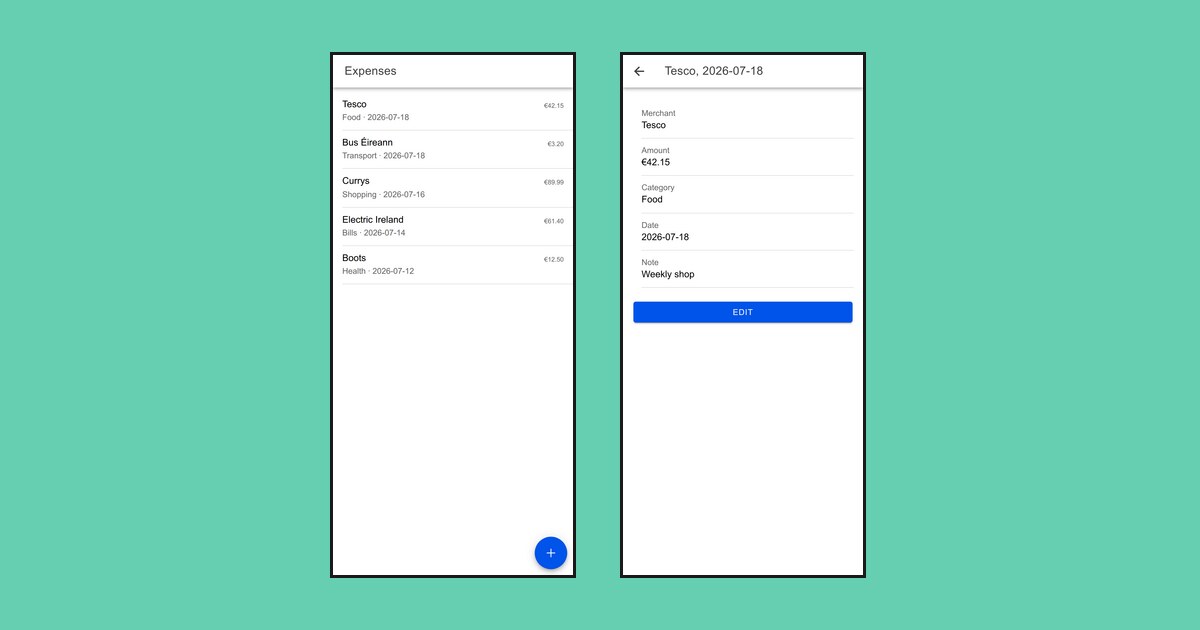
An app for logging expenses. Add what you spent and it keeps a running list you can browse, edit and delete. To save typing, photograph a receipt and it fills in the details for you.
What it does
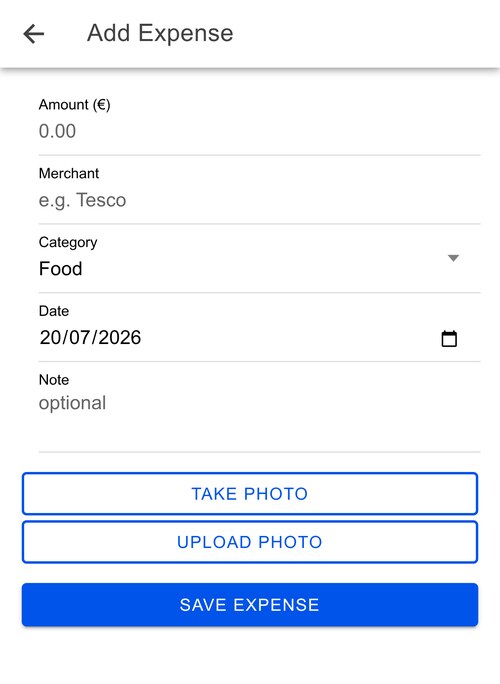
- Add an expense: amount, merchant, category, date, optional note
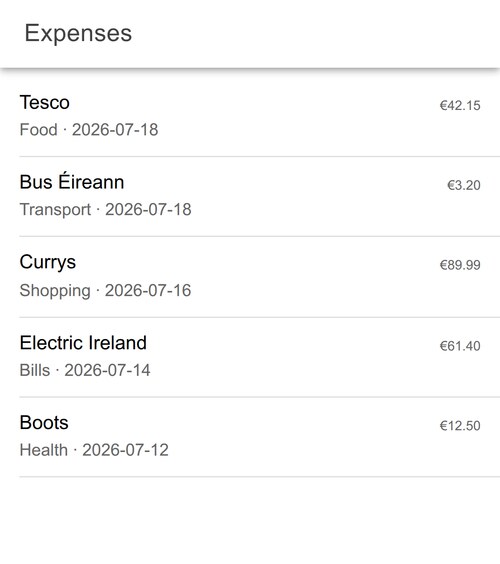
- Browse everything in one list, newest first
- Tap through to view, edit or delete
- Photograph a receipt to auto-fill the fields
How it’s built
Ionic and Angular for the screens, wrapped by Capacitor so the same code runs in a browser and as a real Android or iOS app. Expenses live in SQLite on the device itself: on a phone that is the real database, and in a browser it is a WASM build backed by browser storage.
Nothing is sent anywhere to save an expense. The only feature that touches the internet is receipt scanning, and only when you use it.
Decisions, and what they cost
Money is stored as whole cents
€12.34 is saved as 1234, an integer, never as 12.34.
Decimals in binary floating point cannot represent most money values exactly.
The classic demonstration is that 0.1 + 0.2 does not equal 0.3, and a
tracker that adds up hundreds of amounts would drift by a cent here and there
until the totals stopped matching what the person actually spent.
Integers have none of that problem. The cost is that every display has to divide by 100 and every input has to multiply, and if you forget once you show someone a €4,215 grocery shop. It is a small, contained cost in exchange for arithmetic that is exactly right.
The data never leaves the device
There is no account and no server. That means nothing to run, nothing to pay for, no privacy policy to write, and it works with no signal. Bank statements are personal, and the safest place for them is the one place they have to be.
The cost is real: your expenses live on exactly one phone. Lose it and they are gone, and there is no way to see them on a second device. That is the trade I would revisit first.
Gemini reads receipts, not an OCR library
The first version used Tesseract, a classic OCR library that runs offline and
free. It works, and it gives you the wrong thing: a wall of raw text. Turning
TOTAL 42.15 buried in forty lines of shop address and VAT numbers into an
amount, a merchant, a date and a category is the actual problem, and OCR does
not solve it.
So the photo now goes to Gemini instead. The model is gemini-2.5-flash, chosen
because it reads images, is fast enough to wait on while a form sits open, and
is free at this volume.
1. Split the photo. The camera hands back a data URL, one string holding the format and the image together. The API wants them separately.
// "data:image/jpeg;base64,XXXX"
const [header, base64] = imageDataUrl.split(',');
const mimeType = header.match(/data:(.*?);/)?.[1] ?? 'image/jpeg';
2. Send the photo and the instruction as one message. They travel as two parts of the same request, so the words are about that image.
parts: [
  { inline_data: { mime_type: mimeType, data: base64 } },
  { text:
      'This is a photo of a receipt. Extract the total amount paid ' +
      '(as a number), the merchant/shop name, and the date (formatted ' +
      'YYYY-MM-DD). Also classify it into exactly one of these categories: ' +
      categories.join(', ') + '. ' +
      'If a field is missing, use null for amount and "" for text.',
  },
]
The prompt is deliberately dull. It names each field, pins the date format so
03/04 cannot be ambiguous, and says what to do when something is missing.
That last line is the difference between an honest gap and an invented total.
3. Fix the shape of the reply.
generationConfig: {
  response_mime_type: 'application/json',
  response_schema: {
    type: 'object',
    properties: {
      amount:   { type: 'number', nullable: true },
      merchant: { type: 'string' },
      date:     { type: 'string' },
      category: { type: 'string', enum: categories },
    },
    required: ['amount', 'merchant', 'date', 'category'],
  },
}
JSON only, so there is no “Sure! Here’s what I found:” to strip off. amount
comes back as a number I can do arithmetic on, not the string "€42.15".
nullable lets it admit the total was unreadable. required means all four
keys always arrive. And enum: categories is the app’s own list, so the answer
can only ever be a category the form offers.
4. Read it back. The JSON arrives as text nested in the response, so it gets pulled out and parsed once.
const jsonText = data.candidates?.[0]?.content?.parts?.[0]?.text ?? '{}';
return JSON.parse(jsonText) as ReceiptData;
5. Fill in the form. Each field is only set if it actually came back, so a value Gemini couldn’t read is left alone rather than wiped. And if the scan fails altogether, nothing touches the form: you just fill it in by hand, the way you would have without the photo at all.
try {
  const data = await this.ocr.extractReceipt(this.photoDataUrl, this.categories);
  if (data.amount != null) this.amountEuros = data.amount;
  if (data.merchant)       this.merchant    = data.merchant;
  if (data.date)           this.date        = data.date;
  if (data.category)       this.category    = data.category;
} catch (err) {
  console.error('Receipt scan failed:', err);
} finally {
  this.isScanning = false;
}
The trade-off is that Gemini needs the internet. It runs in the cloud, so scanning a receipt is the one feature that needs a connection and an API key. Everything else in the app works offline. For when there is no connection, I kept Tesseract in as an on-device backup: it reads the text off the receipt locally, though it cannot do Gemini’s neat field-by-field fill.
The parts that were actually hard
The browser has no SQLite
On a phone, SQLite is just there. In a browser it does not exist, so the same code has to run against a WASM build that stores itself in browser storage, which has to be set up before the app starts and flushed after every write.
Asking twice, on purpose
The category list is handed to the model twice: once in the wording of the
prompt, and again as the enum in the schema. That is redundant on purpose.
The prompt is what makes the model classify sensibly, since it tells the model what the job is. The enum is what makes a wrong answer impossible: the schema only allows values from the list, so the model literally cannot hand back “Groceries” when the app’s category is “Food”. The prompt guides; the schema guarantees. For something that has to match a dropdown exactly, I did not want to lean on the guiding alone.
Both read from the same array the form uses, so adding a category updates the prompt, the schema and the dropdown at once.
What’s next
- Totals and a breakdown by category, which is the obvious next screen.
- A way to get your expenses off the single phone they live on now, so they can be backed up or opened on another device, whether by exporting a file or syncing.
- Tests, particularly around the cents conversion, where a mistake is quiet.